The same one-tap pipeline — all the way up.
Twinbly stays easy at the surface — point a phone, get a 3D link. Underneath, it scales to survey-positioned site surveys, layered multi-capture scenes, and a pipeline you can drive yourself. You’ll never need most of this. It’s here when you do.
This is a real Twinbly embed — drag to orbit it. The same iframe drops onto any site, responsive and cache-friendly.
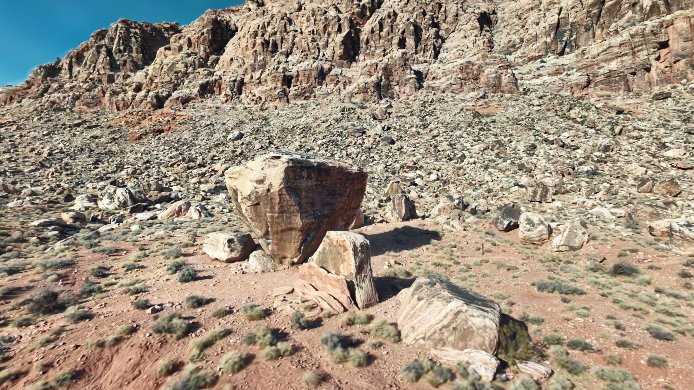
Kraft Boulders, The Cube
by Larry Dalton
Whole-site surveys, one world
Plan a large drone capture as smaller processing tiles and review the assembled site. Suitable positioning data can help place captures, but coverage, scale and alignment still need inspection.
- Review supported geotagged imagery on a map and estimate tiles before starting paid processing.
- Use suitable GPS, RTK or corrected mission data where the workflow supports it.
- Inspect tile status, costs and placement; positioning data does not guarantee survey-grade accuracy.
Layer captures into one placebeta
Drop one capture inside another — an interior inside the exterior of a building — align them with a 3-point wizard, color-match, and publish the whole assembly as a single explorable scene.
- Match recognizable points between captures, preview the fit and apply the alignment.
- Per-splat exposure / temperature so layered captures match.
- Publishes as one link — visitors explore the complete space.
Review the plan. Shape the result.
Review the recommended processing plan, then adjust the controls available for your capture. Check the estimate and supported options before starting a run.
- Choose among the quality and processing options currently offered for your input.
- Adjust available frame, quality and density controls to suit the capture.
- Inspect alignment feedback and use recovery options when the capture needs another attempt.
Available controls and processing capacity vary by workflow. A quality label is not a guarantee of a particular GPU; the current estimate and supported options are the authority.
Standards, not lock-in
View a scene in the browser, embed it on a compatible website and download the output assets available for your job. Use the developer guide when integrating processing into another application.
- Check the formats and readiness reported for each completed result.
- Stream optimized scenes; performance depends on scene size, device and connection.
- Download available assets from your library; not every workflow supplies every output format.
Start easy. Go as deep as you need.
The Survey Console has plan and input requirements. Multi-splat scene tools are in beta in supported editor workflows. Review the current plan and processing options for your capture.